Semrush logo
  • Products

    Start Here

    • Semrush One
    • Enterprise
    • Features
    • Request a Demo
    • Talk to Sales

    Find the Right Tools

    • AI Visibility Toolkit
    • SEO Toolkit
    • Traffic & Market Toolkit
    • Content Toolkit
    • Local Toolkit
    • Social Toolkit
    • Advertising Toolkit
    • PR Toolkit

    Platform

    • Integrations
    • App Center
    • API
    • Data Sources

    Top Apps

    • AdClarity
    • Exploding Topics
    • Other apps
  • Pricing
  • Resources

    Grow with Semrush

    • Blog
    • Knowledge Base
    • Academy
    • Success Stories
    • AI Visibility Index
    • Webinars
    • News

    Explore Free Tools

    • AI Visibility Checker
    • SEO Checker
    • Website Traffic Checker
    • Keyword Tool
    • Backlink Checker
    • Top Websites by Traffic
    • Explore Other Free Tools

    About Semrush

    • About Us
    • Stats and Facts
    • Integrations
    • Affiliate Program
    • Contact us
  • Enterprise
Log InSign Up
  • News
  • Data & Insights
  • Company News
  • Product News
Search icon
Semrush logo
  • Products
  • Pricing
  • Resources
  • Enterprise
  • News
  • Data & Insights
  • Company News
  • Product News
Log InSign Up

Start Here

  • Semrush One
  • Enterprise
  • Features
  • Request a Demo
  • Talk to Sales

Find the Right Tools

  • AI Visibility Toolkit
  • SEO Toolkit
  • Traffic & Market Toolkit
  • Content Toolkit
  • Local Toolkit
  • Social Toolkit
  • Advertising Toolkit
  • PR Toolkit

Platform

  • Integrations
  • App Center
  • API
  • Data Sources

Top Apps

  • AdClarity
  • Exploding Topics

Grow with Semrush

  • Blog
  • Knowledge Base
  • Academy
  • Success Stories
  • AI Visibility Index
  • Webinars
  • News

Explore Free Tools

  • AI Visibility Checker
  • SEO Checker
  • Website Traffic Checker
  • Keyword Tool
  • Backlink Checker
  • Top Websites by Traffic
  • Explore Other Free Tools

About Semrush

  • About Us
  • Stats and Facts
  • Integrations
  • Affiliate Program
  • Contact us
Main page /Product News

Introducing Enhanced Sharing Features: Boost Your Teamwork And Collaboration

July 10, 2024
Introducing Enhanced Sharing Features: Boost Your Teamwork And Collaboration
Collaboration on Semrush is now more accessible, user-friendly and customizable than ever.
How? 
We have expanded the ‘Share’ button functionality across even more products — from the SEO toolkit to Semrush Local and, of course, Semrush Social. 
This is our way to show our commitment to making teamwork easier for everyone using Semrush:
Now, you’ll find a Share button in the Site Audit and Position Tracking sections, as well as in all the Social Media Marketing tools. 
The sharing features are also present across other core products, such as Keyword Strategy Builder, SEO Writing Assistant, CRM, My Reports and Listing Management. 
Yes, the share button is all over the place. 
Let us walk you through its new locations and show you how it can take your teamwork to the next level. 

Share Your Social Media Management

Screenshot 1.png
All team members are now invited to manage the same social media profiles, schedule content, analyze competitors’ performance, reply to messages and comments, and more. 
For example, if you’re a social media marketer who hires freelancers every once in a while, you can now share your social accounts with them on Semrush Social, even if they’re not part of your paid subscription. 
Plus, every user with editor access can seamlessly work with the accounts added by the project owner! 
How To Share From Semrush Social

Manage Your Business’ Locations

Screenshot 2.png
Team members can reply to comments and edit your business descriptions, as well as manage other crucial aspects of your listings. 
Let’s say you own 3 coffee shops in town. Well, you can now give each cafeteria manager full control over the online reputation of their particular workspace. Just share, assign and provide different roles to different people. 
Simple, yet effective. 
How To Share a Location in Listing Management

Position Tracking is Everyone’s Business

Screenshot 3.png
All collaborators can contribute to SEO rankings by adding new keywords and creating personalized reports. 
So, whenever you hire a SEO writer, you can use your keyword studies as part of the onboarding process, even if they don’t own a paid subscription. 
There’s different levels of visibility within your Keyword Strategy Builder, so you can make sure everyone has access to the data they need. 
How To Share Keyword Lists

Share Your Site Audits

Screenshot 4.png
Improving your site ranking doesn’t need to be a solo mission. 
Now, you can share your website crawler reports and create joint action plans to resolve any issues. 
This way, SEO specialists have it easier than ever to collaborate on site audits and create joint action plans to bring your website to its peak performance. 
How To Start with Site Audit Reports

How to Get Started

Here’s a 4-step guide to start making the most of the new share features:
  1. Access your most used Semrush tools, such as Semrush Social, Listing Management, Position Tracking, or Site Audit. 
  2. Find the ‘Share’ button, generally on the top right corner of the screen. 
  3. Invite team members, clients, or other stakeholders to start collaborating. 
  4. There’s actually no 4th step; it’s as simple as that 🙂
So you know how the saying goes: the more you share, the more you get.
Whether you're managing social media profiles, tracking keywords, conducting site audits or handling client listings, better teamwork will always lead to better results.
The sharing features are here to take collaboration to the next level. Visit the Semrush Knowledge Base to learn everything about them:
Sharing Features - Knowledge Base

Download as

PDF
DOCX

Share

Relevant news

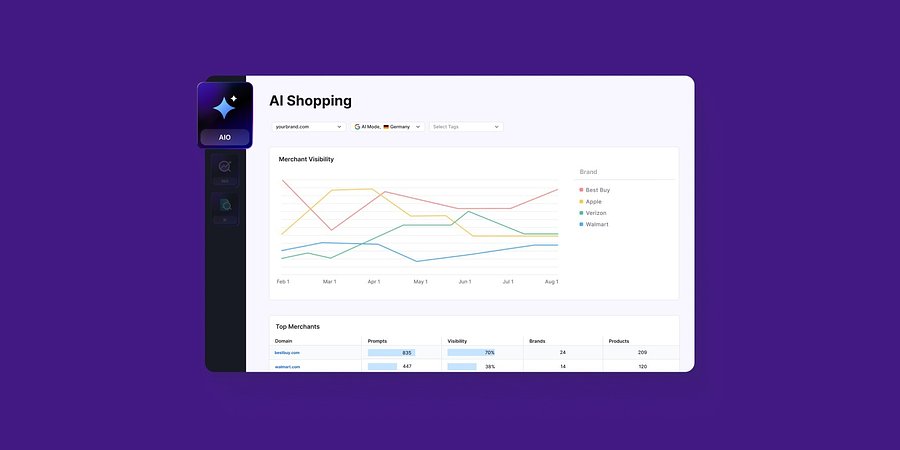
Enterprise AIO Extends AI Shopping Report Across ChatGPT and Google AI Mode

Semrush Enterprise AI Optimization’s (AIO) AI Shopping report now delivers unified merchant and product-level insights across both AI shopping experiences.
Product News
March 6, 2026

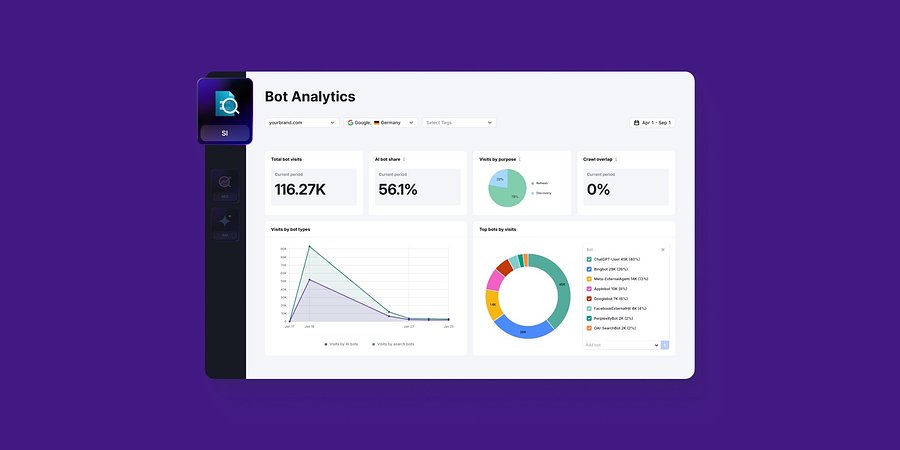
Semrush Enterprise Adds Log File Analysis to Site Intelligence and AI Optimization

New Bot and Agent Analytics capabilities give teams clearer understanding of how search engines and AI crawlers interact with their websites, unlocking new visibility opportunities.
Product News
February 2, 2026

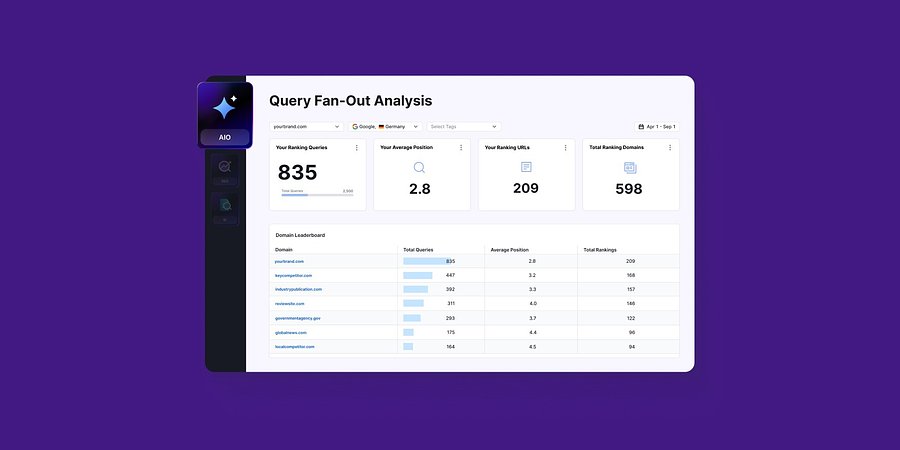
Query Fan-Out Analysis Comes to Semrush Enterprise AI Optimization, Revealing the Search Signals Behind AI Responses

New capabilities identify the background queries made by AI models, which are run through search engines. This helps brands identify further terms to target for AI visibility and align their SEO and GEO strategies
Product News
January 15, 2026

Get started with Semrush today

Try Semrush free for seven days. Cancel anytime.

Start free trial
  • Semrush One
  • Features
  • Pricing
  • Free Trial
  • Compare Semrush
  • Success Stories
  • Stats and Facts
  • Affiliate Program
  • Enterprise SEO
  • Enterprise AIO
  • Enterprise SI
  • Insights24
  • Mfour
  • App Center
  • Top Websites
  • Free Tools
  • Sensor
  • About Us
  • News
  • Careers
  • Partners
  • For Investors
  • Semrush Select
  • Global Issues Index
  • Contact us
  • Knowledge Base
  • Academy
  • API
Community
  • Semrush Blog
  • Webinars
  • Ambassador Program
LinkedInInstagramTikTokYouTubeFacebookX
© 2008 - 2026 Semrush. All rights reserved.
Privacy PolicyTerms of ServiceCookies Settings
Semrush
Connecting...